> ## Documentation Index
> Fetch the complete documentation index at: https://docs.duckybot.xyz/llms.txt
> Use this file to discover all available pages before exploring further.

# Developer Mode

> Learn how to enable Developer Mode on Discord.

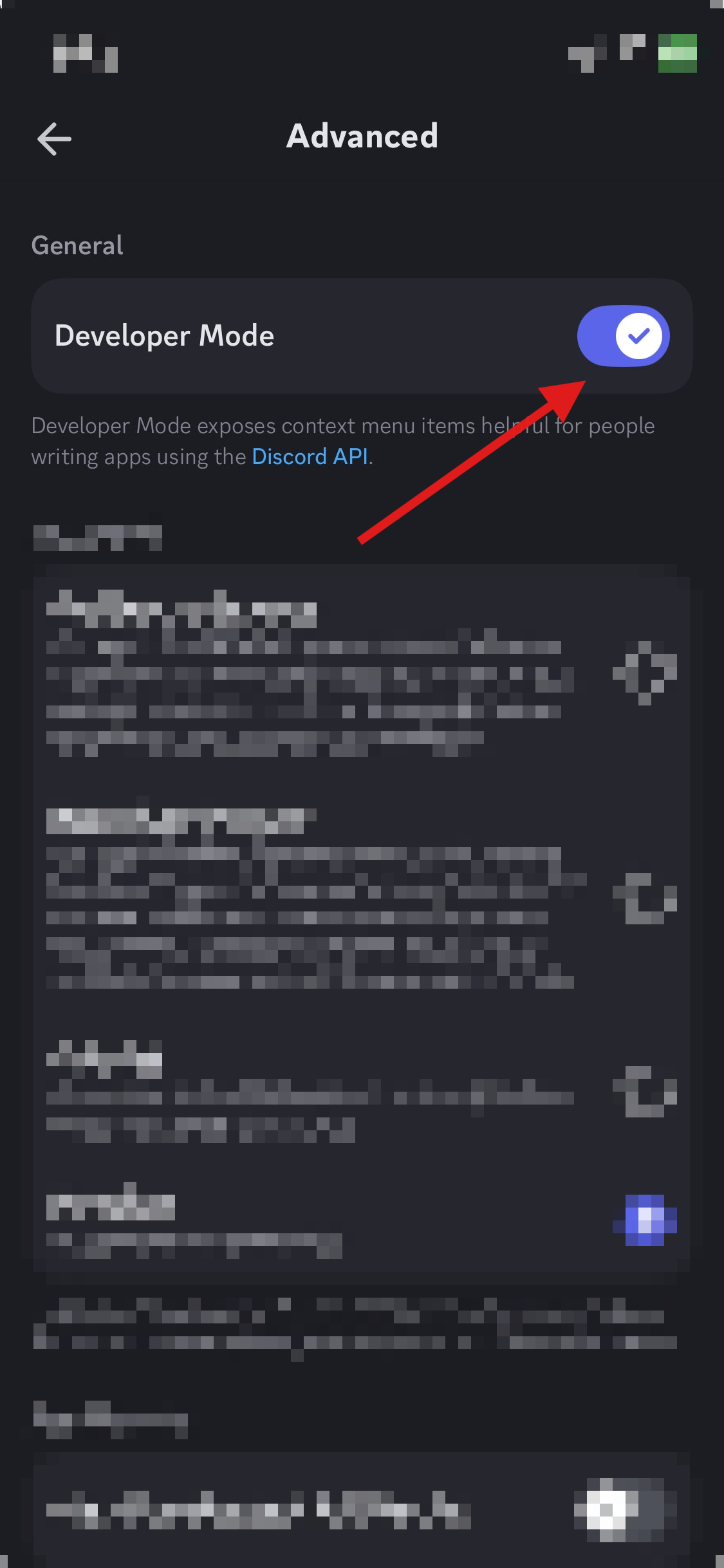
Discord's **Developer Mode** allows you to access role IDs, channel IDs, message IDs, user IDs, and server IDs by right-clicking on one of those objects.

<Note>
  You will likely need this <u>enabled</u> upon contacting the **Ducky Support** team for easy reference.
</Note>

### Desktop

<Steps>
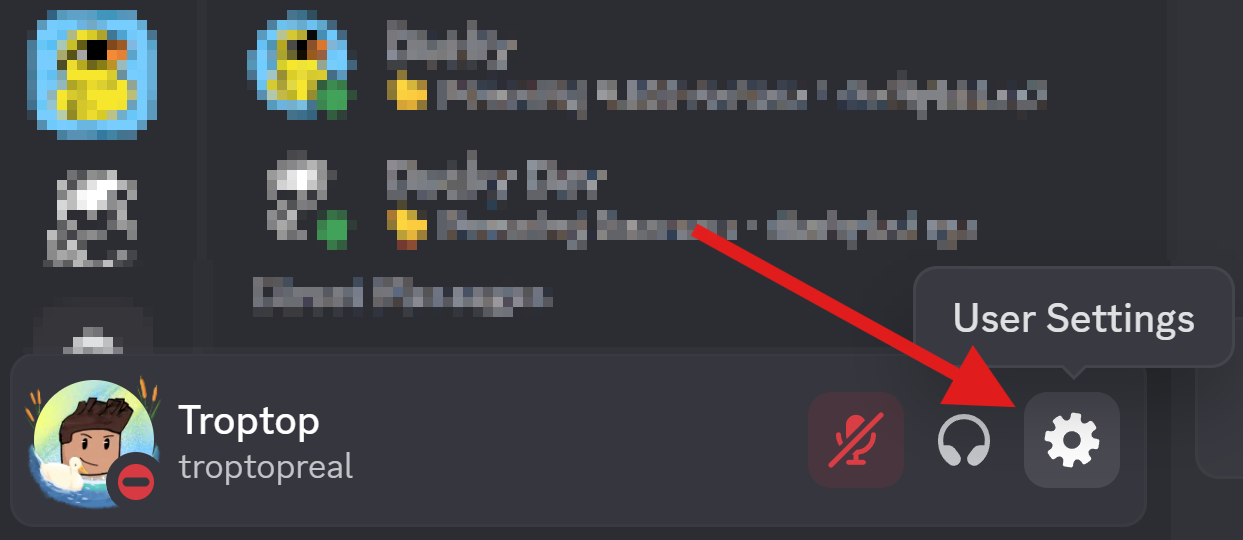
  <Step title="Open User Settings">
    <img src="https://mintcdn.com/duckybot/0ES7II5alWlnX1Tr/images/devmode/desktop/settings.png?fit=max&auto=format&n=0ES7II5alWlnX1Tr&q=85&s=b012bdc7548c8d701974f32d70ed7032" alt="Open User Settings" width="1243" height="540" data-path="images/devmode/desktop/settings.png" />
  </Step>

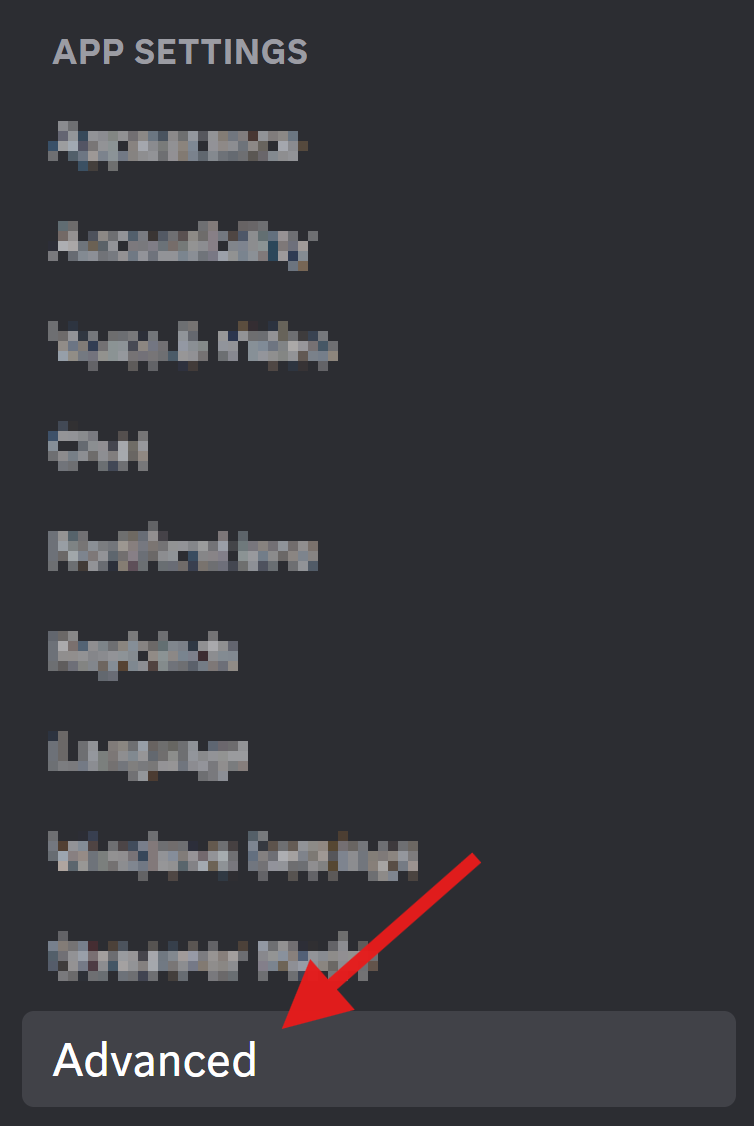
  <Step title="Select Advanced">
    <img src="https://mintcdn.com/duckybot/0ES7II5alWlnX1Tr/images/devmode/desktop/advanced.png?fit=max&auto=format&n=0ES7II5alWlnX1Tr&q=85&s=24989c28e8fbbf17d581e00acf90ad99" alt="Select Advanced" width="754" height="1126" data-path="images/devmode/desktop/advanced.png" />
  </Step>

  <Step title="Enable Developer Mode">
    <img src="https://mintcdn.com/duckybot/0ES7II5alWlnX1Tr/images/devmode/desktop/enable.png?fit=max&auto=format&n=0ES7II5alWlnX1Tr&q=85&s=008ee9a531274fef4c20e01d5c6878bb" alt="Enable Developer Mode" width="2047" height="394" data-path="images/devmode/desktop/enable.png" />
  </Step>
</Steps>

### Mobile

<Steps>
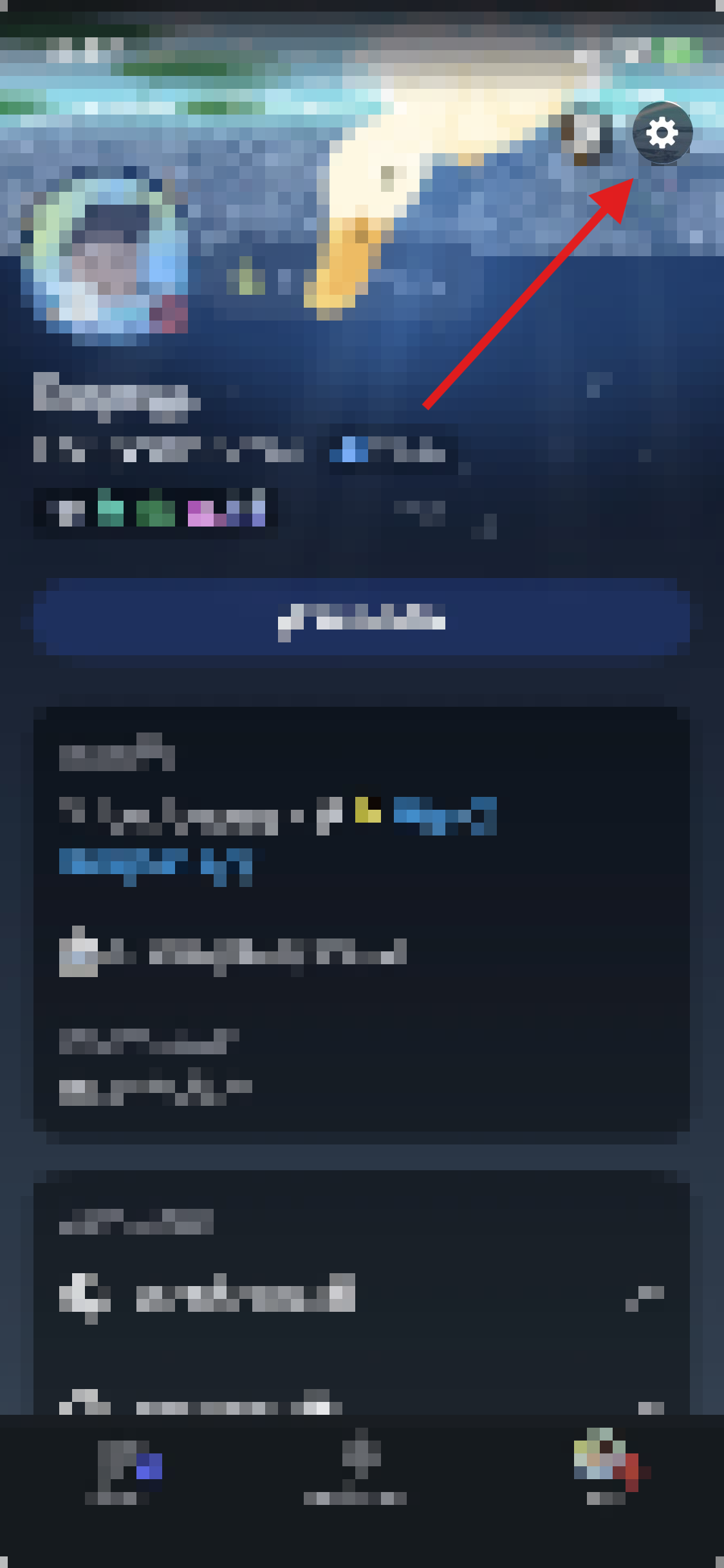
  <Step title="Open Profile">
    <img src="https://mintcdn.com/duckybot/0ES7II5alWlnX1Tr/images/devmode/mobile/profile.png?fit=max&auto=format&n=0ES7II5alWlnX1Tr&q=85&s=9a6fa67bff1bc37a4ad20c3475cace14" alt="Open Profile" width="1125" height="2436" data-path="images/devmode/mobile/profile.png" />
  </Step>

  <Step title="Open User Settings">
    <img src="https://mintcdn.com/duckybot/0ES7II5alWlnX1Tr/images/devmode/mobile/settings.png?fit=max&auto=format&n=0ES7II5alWlnX1Tr&q=85&s=6d02321b6ae3b42bb1a35c12e68907bb" alt="Open User Settings" width="1125" height="2436" data-path="images/devmode/mobile/settings.png" />
  </Step>

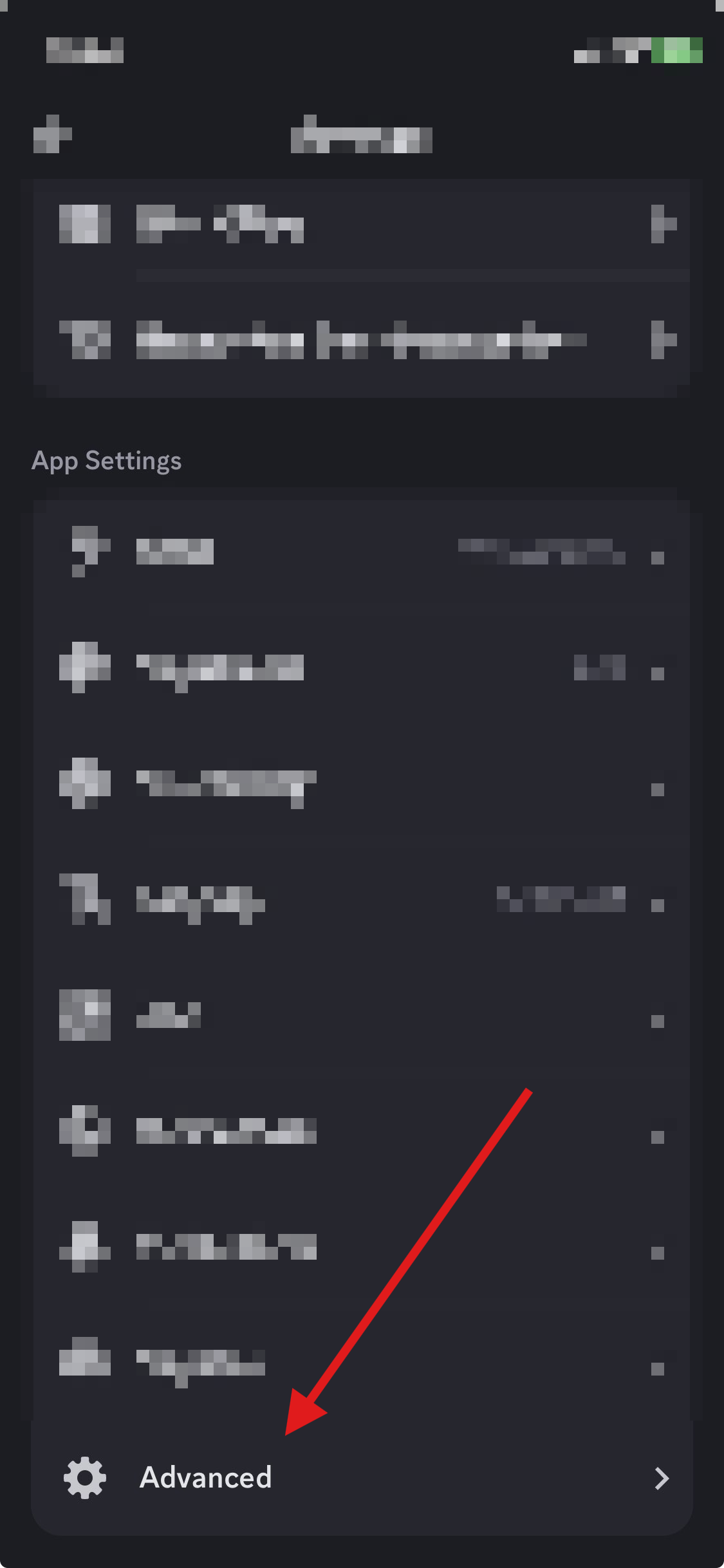
  <Step title="Select Advanced">
    <img src="https://mintcdn.com/duckybot/0ES7II5alWlnX1Tr/images/devmode/mobile/advanced.png?fit=max&auto=format&n=0ES7II5alWlnX1Tr&q=85&s=fb3813123c584d3d9e40043166dc36c9" alt="Select Advanced" width="1125" height="2436" data-path="images/devmode/mobile/advanced.png" />
  </Step>

  <Step title="Enable Developer Mode">
    <img src="https://mintcdn.com/duckybot/0ES7II5alWlnX1Tr/images/devmode/mobile/enable.png?fit=max&auto=format&n=0ES7II5alWlnX1Tr&q=85&s=4adb88e56ac49b4adeee8a174ae49cf6" alt="Enable Developer Mode" width="1125" height="2436" data-path="images/devmode/mobile/enable.png" />
  </Step>
</Steps>