> ## Documentation Index
> Fetch the complete documentation index at: https://docs.duckybot.xyz/llms.txt
> Use this file to discover all available pages before exploring further.
# ERLC Regions
> Learn about Ducky's Regions module and how to configure it.
This page provides the essential configuration options for Ducky's **ERLC Regions** module, which allows you to unlock more automation triggers and conditions along with link Discord voice channels to specific areas of the map. To enable and configure this module, use the **`/setup`** command and navigate to the **ERLC Regions** page.
### Region Editor
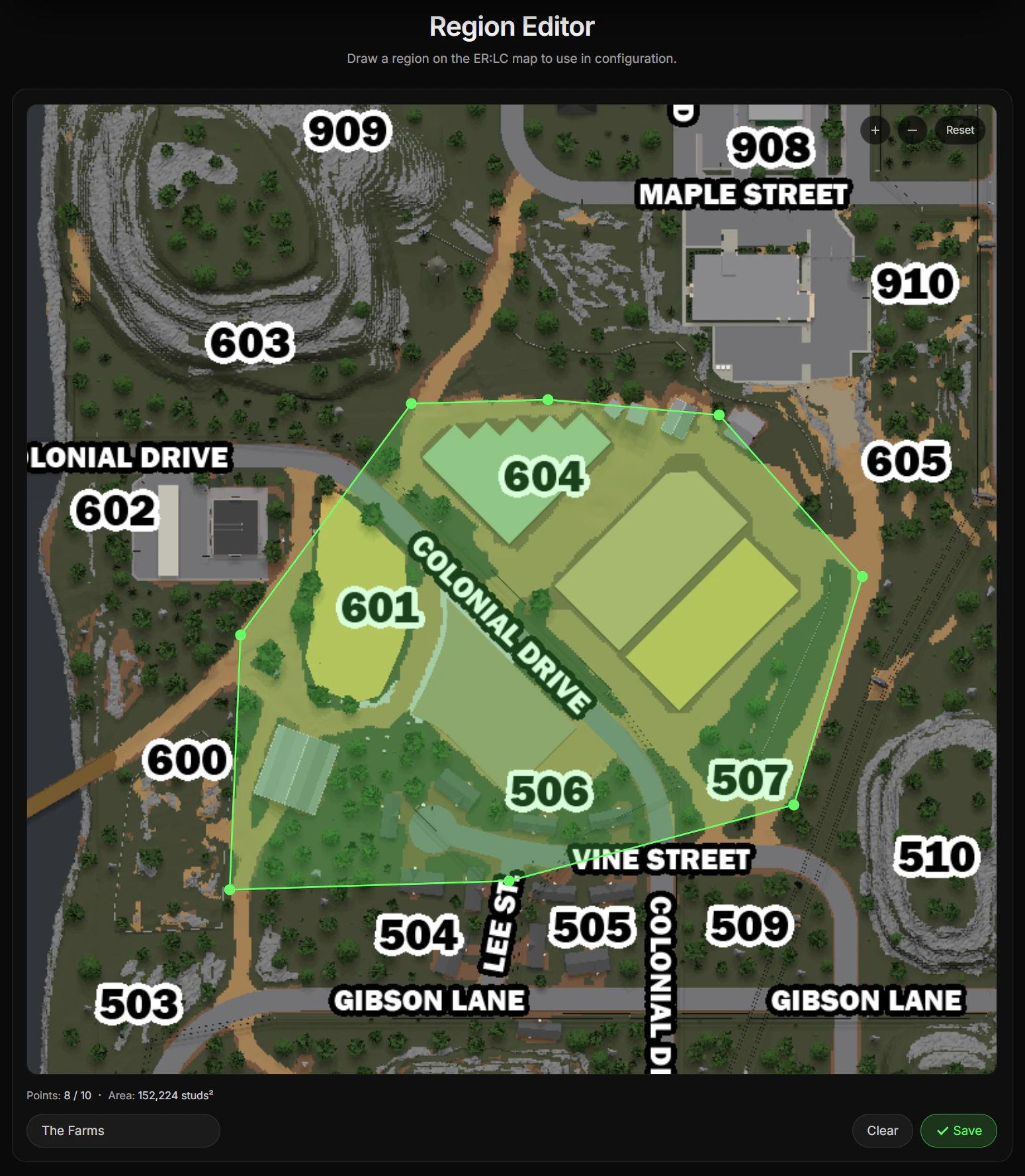
The **Create Region** option creates a web editor session for the **Region Editor**, a system that allows you to draw a polygon on the ERLC map to create a region.
 ### Regional Voice Channels
Once a region has been created, you have the option to **Link Voice Channel**. This allows Ducky to automatically move players across voice channels based on their region.
In order for players to be moved to a regional voice channel:
* The player must have their **Discord** account linked with Ducky.
* The player's Discord account must already be in a regional voice channel, which includes the **Waiting Voice Channel**.
### Waiting Voice Channel
The **Waiting Voice Channel** is the voice channel that players who are not in any region are placed. They are only moved here automatically if they were previously in a regional voice channel but left the linked region.
Players can move to a non-linked voice channel at any time to temporarily opt-out of automatic Regional Voice Channels.
Servers with **Ducky Plus+** are able to create up to **25 regions** compared to the **10 regions** normal servers can.
Additionally, they are also able to add up to **25 points** to their Regions compared to the limit of **10 points** on normal servers.
### Regional Voice Channels
Once a region has been created, you have the option to **Link Voice Channel**. This allows Ducky to automatically move players across voice channels based on their region.
In order for players to be moved to a regional voice channel:
* The player must have their **Discord** account linked with Ducky.
* The player's Discord account must already be in a regional voice channel, which includes the **Waiting Voice Channel**.
### Waiting Voice Channel
The **Waiting Voice Channel** is the voice channel that players who are not in any region are placed. They are only moved here automatically if they were previously in a regional voice channel but left the linked region.
Players can move to a non-linked voice channel at any time to temporarily opt-out of automatic Regional Voice Channels.
Servers with **Ducky Plus+** are able to create up to **25 regions** compared to the **10 regions** normal servers can.
Additionally, they are also able to add up to **25 points** to their Regions compared to the limit of **10 points** on normal servers.