
/setup command and navigate to the ERLC Regions page.
Region Editor
The Create Region option creates a web editor session for the Region Editor, a system that allows you to draw a polygon on the ERLC map to create a region.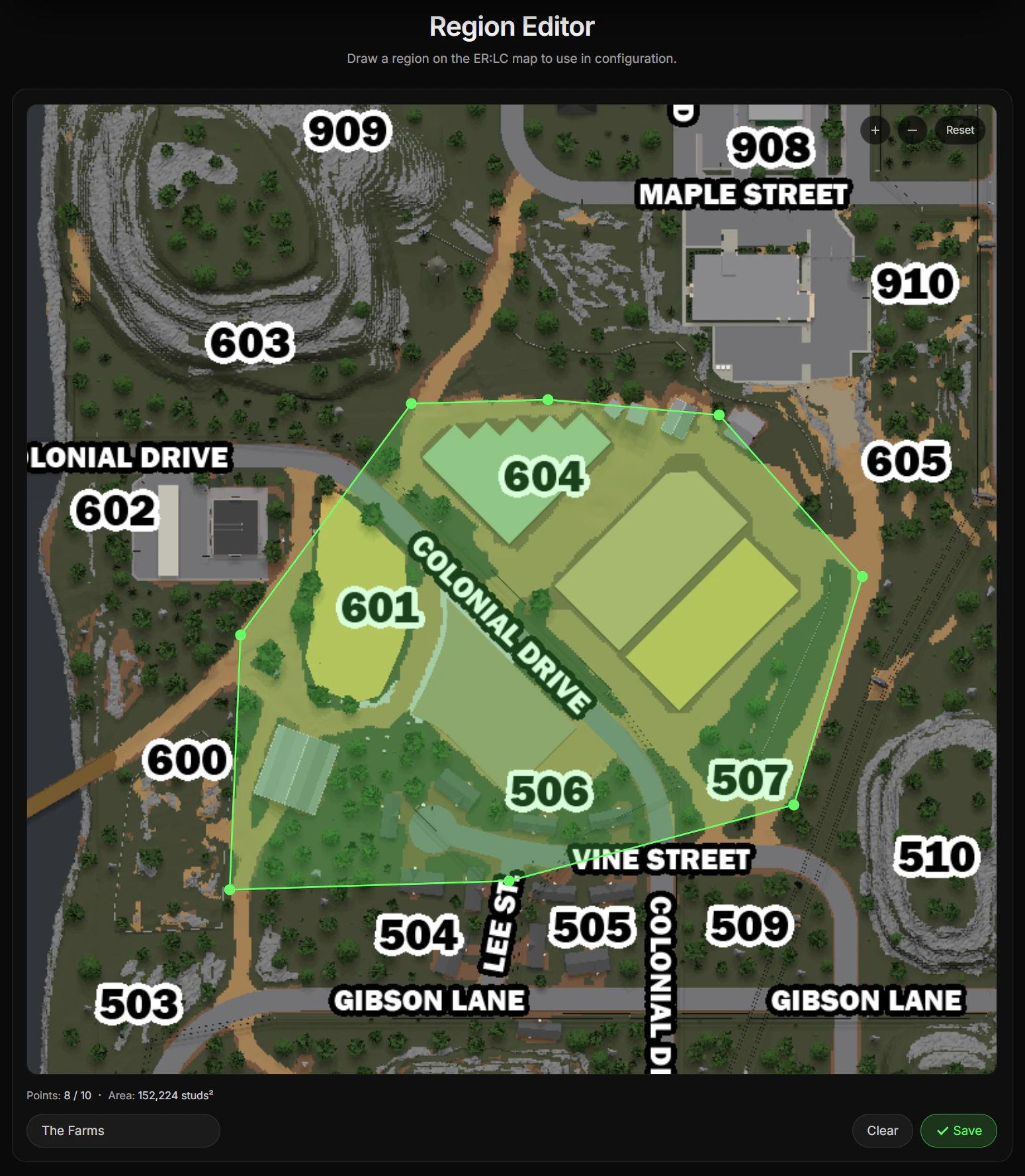
Regional Voice Channels
Once a region has been created, you have the option to Link Voice Channel. This allows Ducky to automatically move players across voice channels based on their region.In order for players to be moved to a regional voice channel:
- The player must have their Discord account linked with Ducky.
- The player’s Discord account must already be in a regional voice channel, which includes the Waiting Voice Channel.
Waiting Voice Channel
The Waiting Voice Channel is the voice channel that players who are not in any region are placed. They are only moved here automatically if they were previously in a regional voice channel but left the linked region.
Servers with Ducky Plus+ are able to create up to 25 regions compared to the 10 regions normal servers can.Additionally, they are also able to add up to 25 points to their Regions compared to the limit of 10 points on normal servers.